ItalianoEnglish
Seal does what Authy and Google Authenticator do: it generates the six-digit codes services ask for after the password. But the secrets behind them live in files encrypted with a passphrase of yours, and they go through no server: not ours, not anyone's.
The first screen is the codes. One tap copies them, and after thirty seconds they leave the clipboard. The seal at the top marks the time of the window, and the codes warm towards amber as they are about to change: a glance tells you whether to wait for the next one.
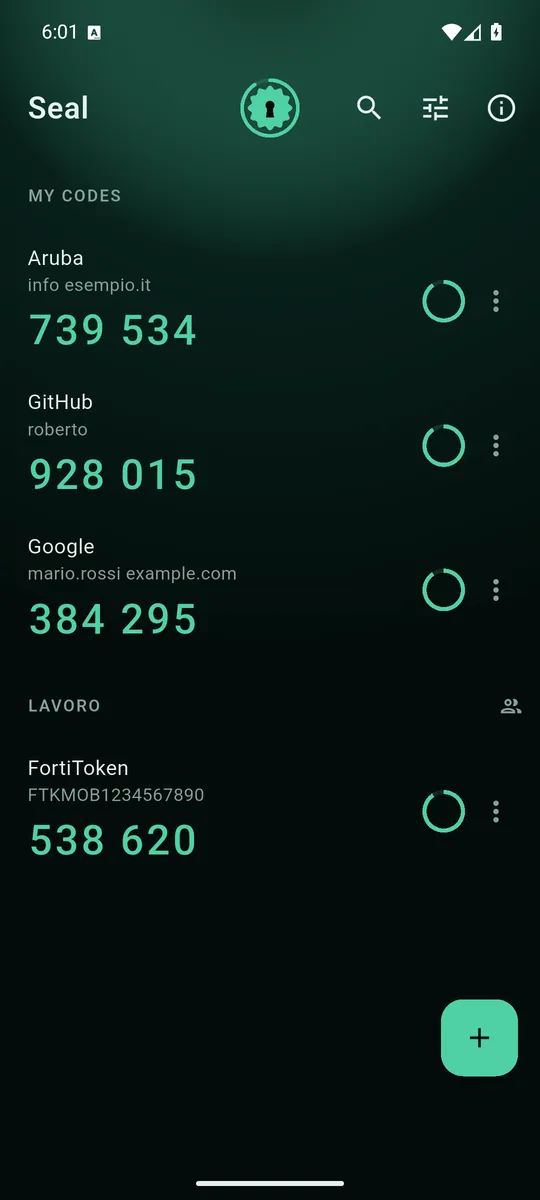
Your codes, apart from those of the groups you share. 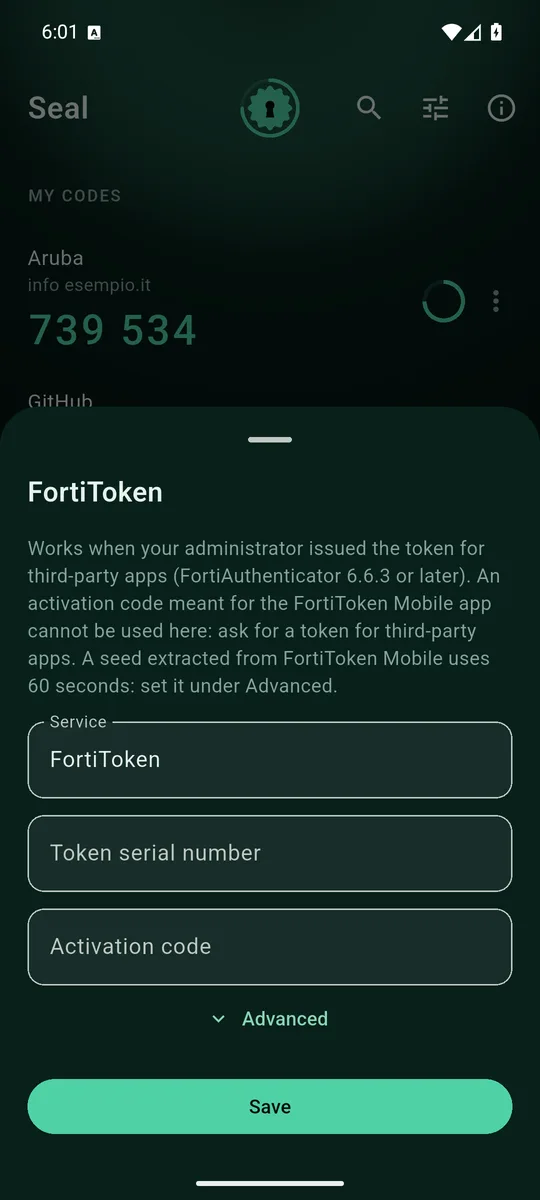
FortiTokens issued for third-party apps: serial number and activation code. 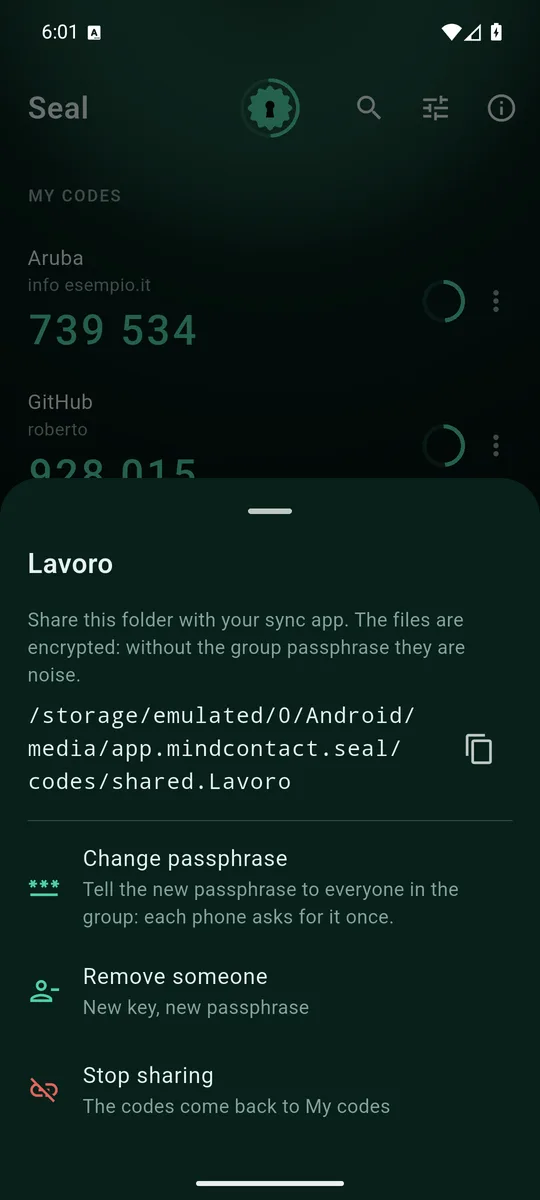
A group is a folder with its own passphrase, carried by the sync app you already use. 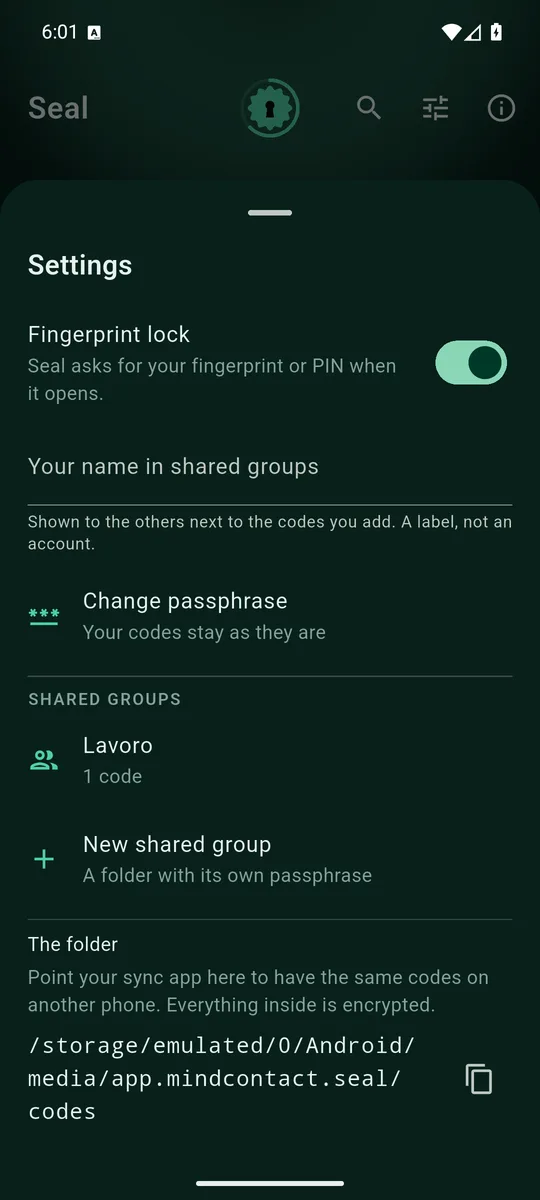
Fingerprint at opening, on by default. Everything else lives here.
What it does
- Standard TOTP and HOTP codes, 6 or 8 digits, SHA1, SHA256 or SHA512: Google's, Microsoft's, GitHub's, banks' and nearly everyone else's.
- Added by scanning the service's QR, pasting the
otpauth://link, or typing the key. - From Google Authenticator in one go: its export QR carries up to ten codes at a time.
- FortiToken: works when your administrator issues the token for third-party apps (FortiAuthenticator 6.6.3 or later).
- In English and Italian, following the phone's language.
Really encrypted
Each code is a file encrypted with a random key, and that key is encrypted with your passphrase. The passphrase is stored nowhere: you type it once, and the phone keeps the opened key in its Keystore, behind your fingerprint. You type it again only on a new phone.
The other side of it must be said plainly: if you lose both the passphrase and the phone, the codes are lost. There is no SMS recovery, because there is nobody who could perform one. Write it on paper and keep it with your documents.
Shared without accounts
The same codes on two phones, or at the office between colleagues: a group is a subfolder with its own passphrase. You hand over the folder with what you already use — Syncthing, Mega, Drive — and say the passphrase out loud, or on paper. Whoever receives the group sees it locked until they type it.
The sync server only ever holds encrypted files: whoever hosts them sees how many there are and the group's name, not the codes. To remove someone from a group, Seal makes a new key, rewrites the codes with it, and you tell the new passphrase only to who stays.
Coming from Authy
Authy does not let you export your codes. Moving to Seal means re-enabling two-step verification on each service, one at a time: turn it off, turn it on, scan the QR with Seal. Tedious once, and then the codes are yours.
How it is paid for
With a banner anchored at the bottom, and that is all: no full-screen ads, because whoever opens Seal is logging in with the clock running. Neither the codes nor their names reach the ad network.
Where to get it
Seal on Google Play. Requires Android 7 or later.