
ItalianoEnglish
Give an entry a deadline or a place, and from then on it moves by itself: it warms up, its border thickens, it climbs the list as the day or the place gets closer. The sky behind the list moves with it. There is nothing to sort by hand — what presses hardest is at the top.
What you tick leaves the list instead of piling up underneath it. What you do not want to look at right now — the shopping, while you work — is kept aside without ever going quiet. And for the things that do not happen in one go, a list can have its own stages: to find, found, got it, uploaded.
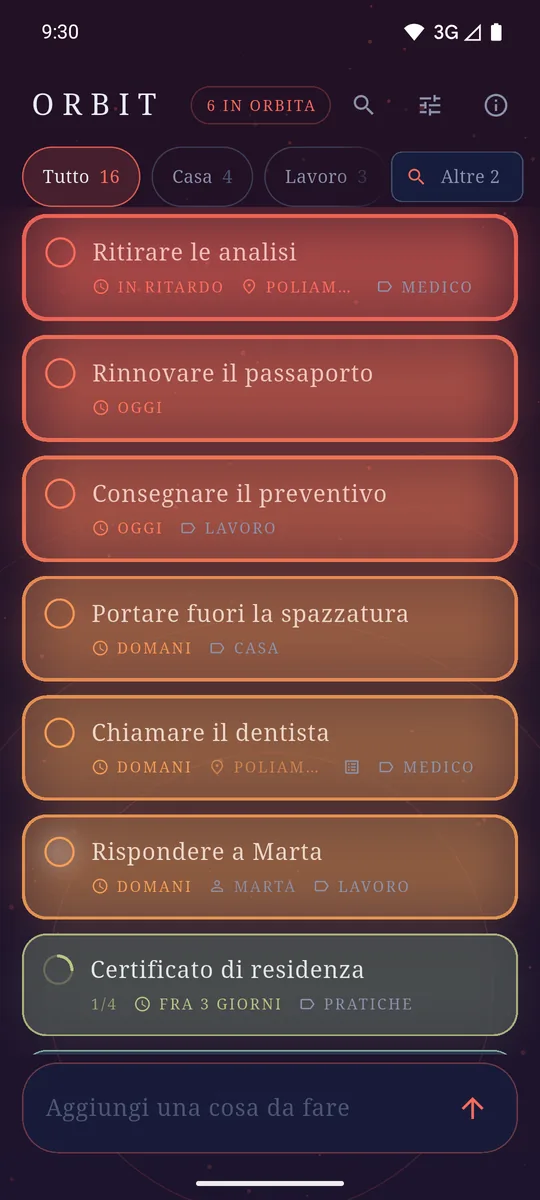
What presses hardest is at the top. The colour is the deadline, not a label. 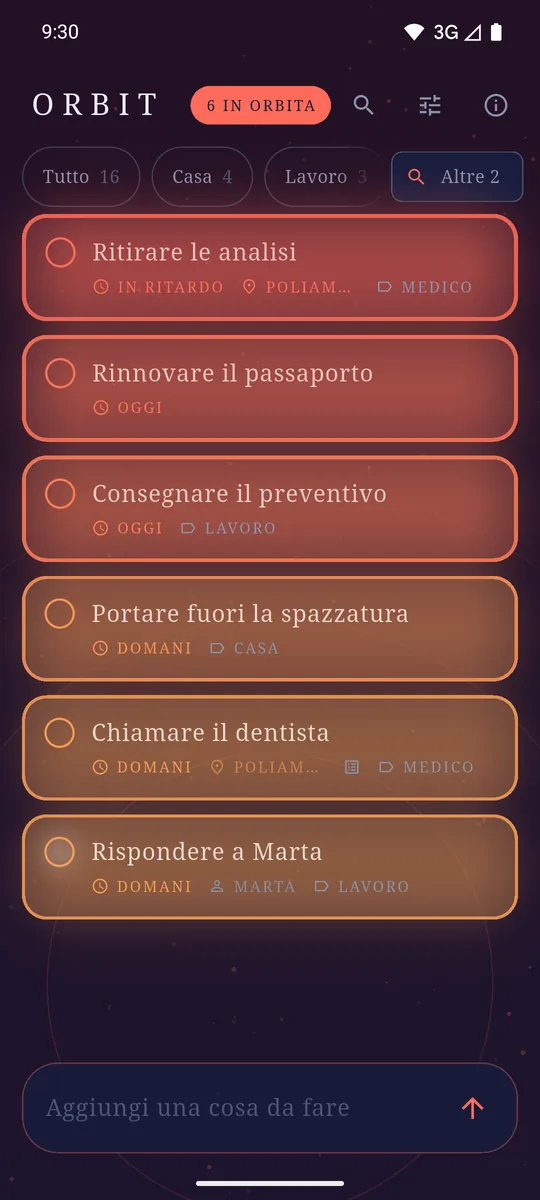
Tap the count in the header and only what is coming stays, across every list. 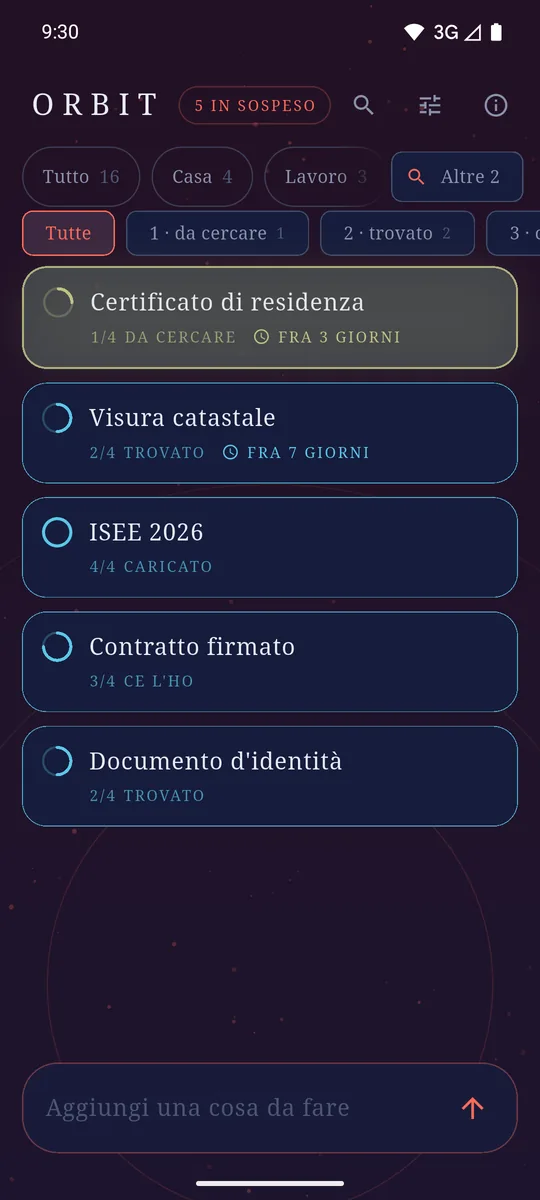
Between "to do" and "done", a list's stages. The ring says how far along you are. 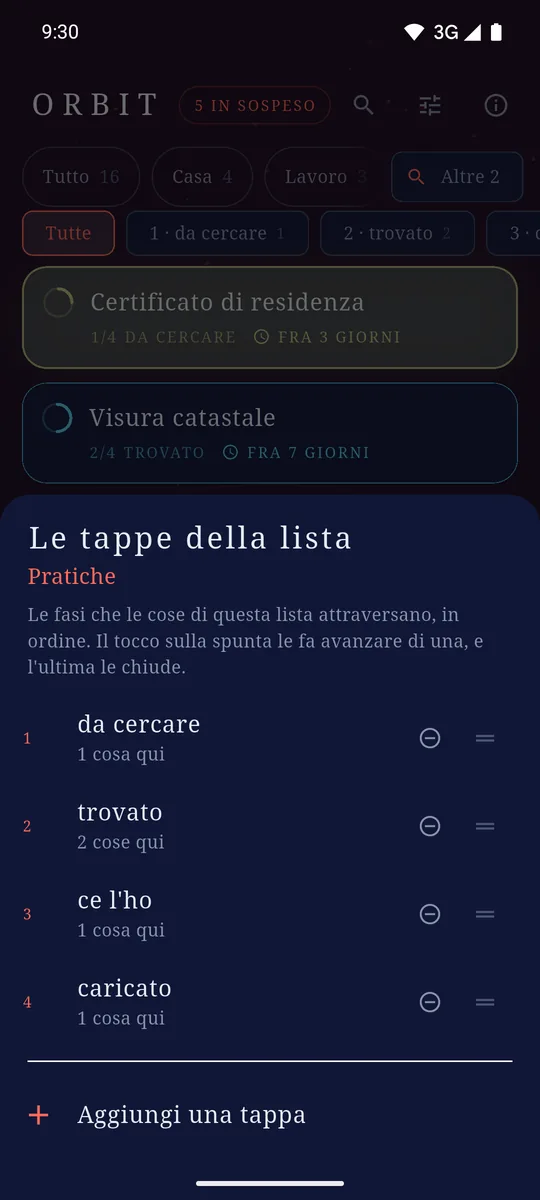
The stages are yours, in order. A tap on the ring moves one along. 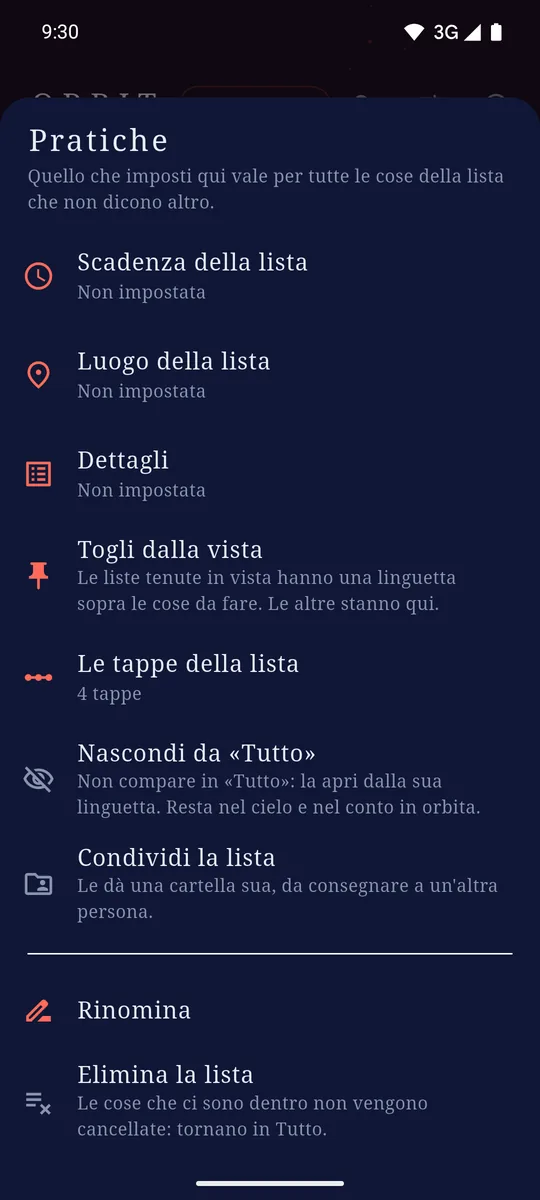
What a list decides for everything inside it — stages included. 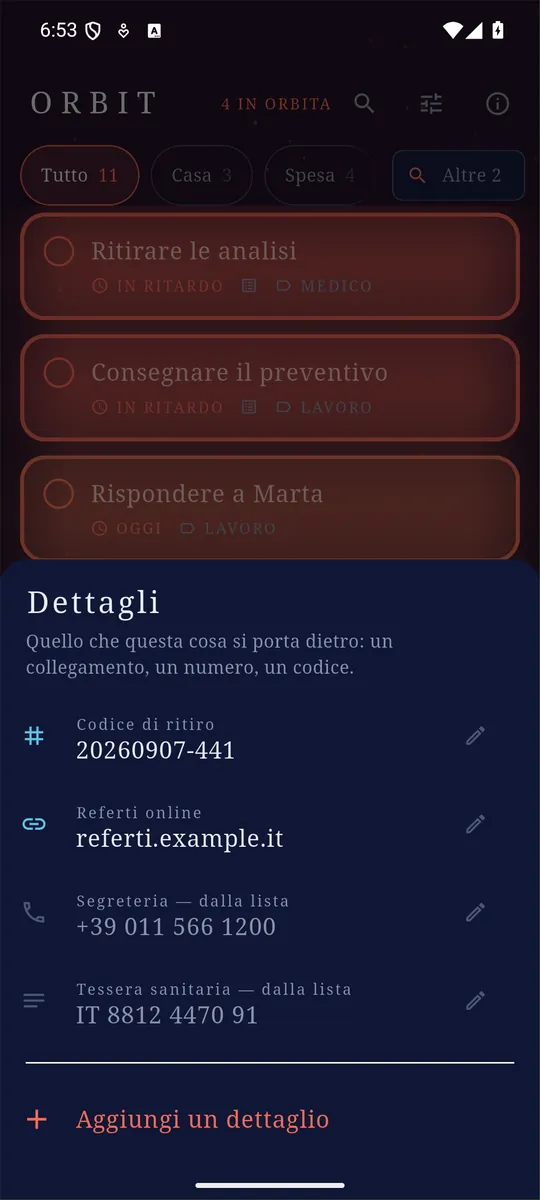
What an entry carries with it. The last two are lent by its list. 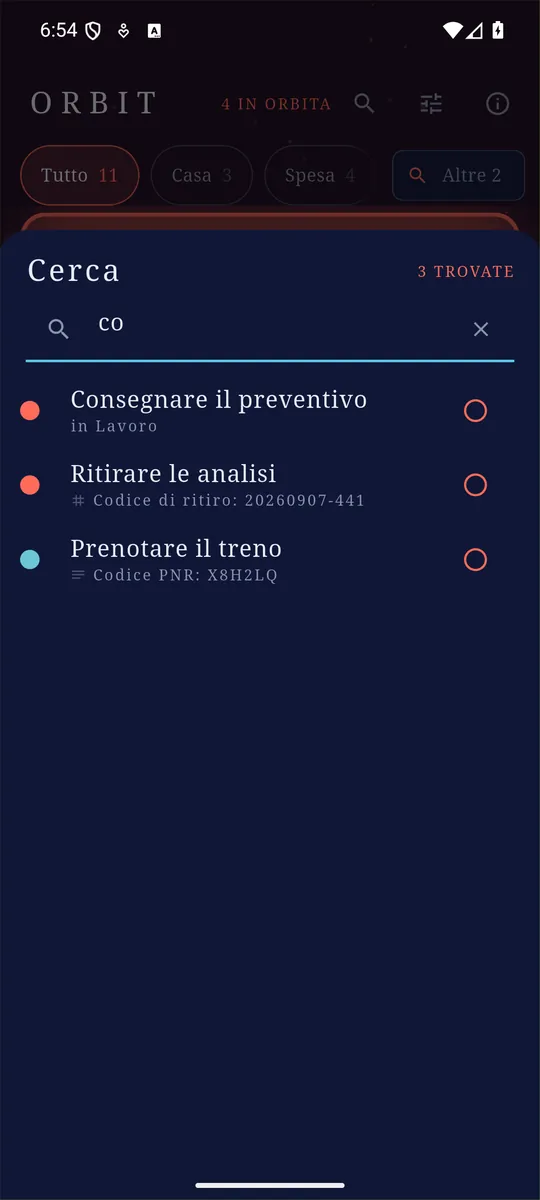
It searches every list at once, and says why each thing is there. 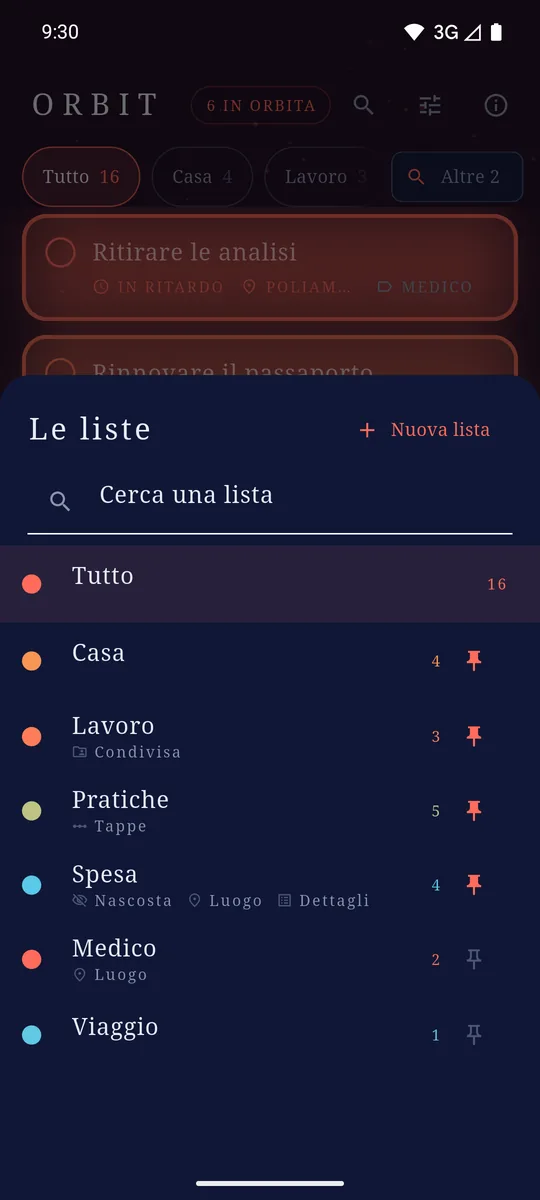
A list per thing, and the two or three you live in stay in sight. 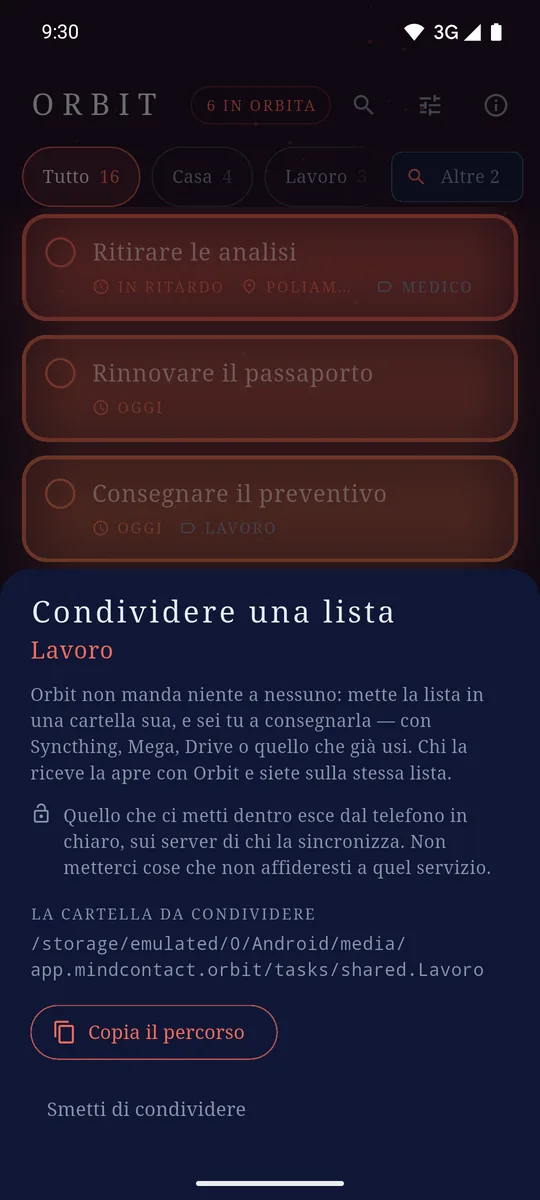
Sharing gives the list a folder, and you hand it over: no account anywhere. 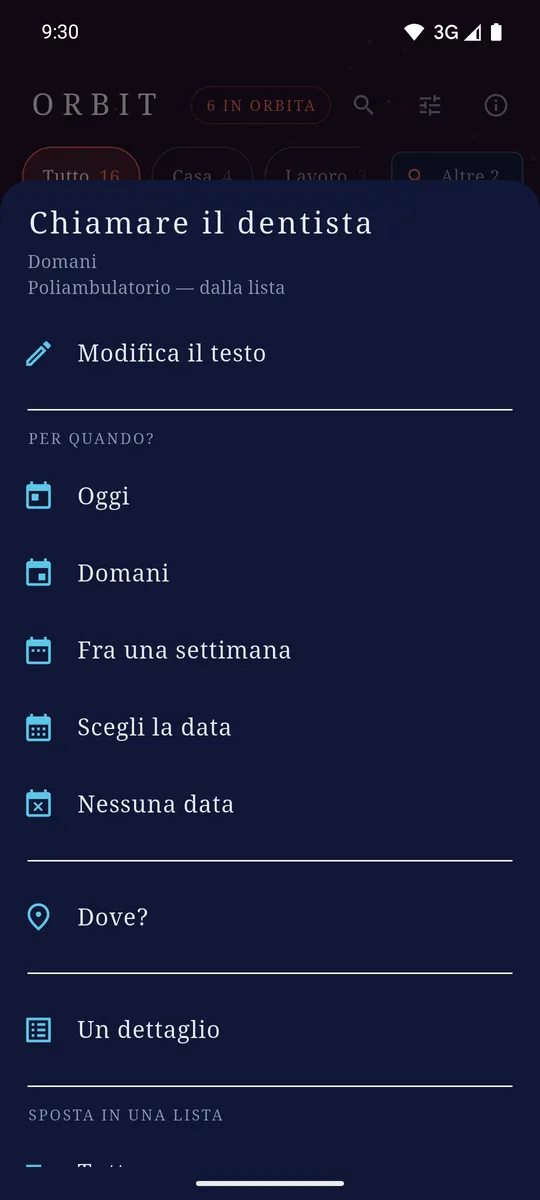
Date, place and list of an entry: one long press and it is all there. 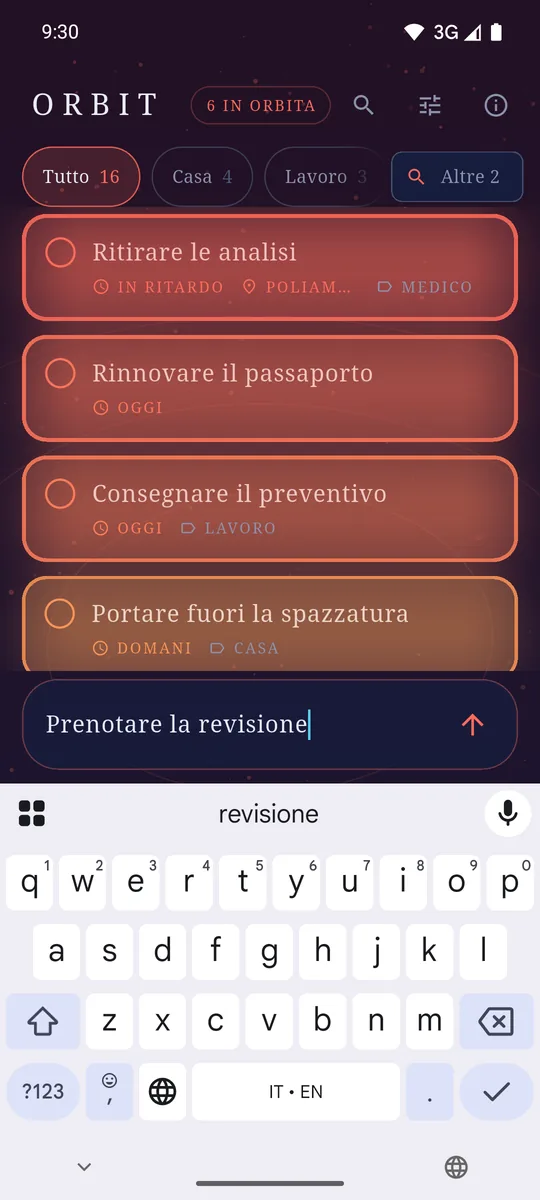
The add field sits at the bottom, where your thumb already is.
What it does
- It opens ready. The add field is under your thumb: no account, no sign-up, no welcome screens.
- Deadlines you can feel. A date is not a label, it is a value that moves — and the last day weighs more than the first six put together.
- Places. An entry can belong to a place: while the app is open it weighs more the closer you are, and it climbs. Orbit does not follow you around.
- More than one list, each with a deadline and a place of its own that everything inside inherits: "Shopping" knows where the supermarket is once instead of twenty times.
- Details. An entry can carry a link, a phone number, an e-mail address, a code. One tap opens, dials, copies.
- Stages, for the lists that need them. Between "to do" and "done" a list can put its own phases, in order: to find, found, got it, uploaded. A tap on the ring moves one along and the last one closes it, so the gesture stays a single one. A strip filters by stage. Renaming one touches nothing, and deleting one does not quietly move what was on it.
- Two views, one tap apart. The list is where things are filed; the orbit is what is coming. The count in the header is the way between them.
- A list can stay out of "Everything". The shopping is not something to read while you work. What you hide still counts towards the sky and the reminders: it is a choice about what to read, not about what to know.
- Finished things leave the list, and a row at the foot says how many there are: one tap brings them back.
- Every list has its own trash. A swipe asks before it deletes, and what you delete stays in its list's trash for thirty days: one tap puts it back where it was.
- Search looks everywhere: across every list at once, in the titles and in the details.
- Reminders at the date you set, and home-screen widgets — one per list, each with its own +.
- Quick add from the notification shade: type, and the entry is in the list without opening the app.
- In English and Italian, following the language of the phone.
What a thing carries with it
The parcel's code, the garage's number, the link to the booking: they all used to end up inside the title, because there was nowhere else. Now they are details — a name you choose and a kind, out of text, link, e-mail, phone and number. The kind changes three things: the keyboard you type it on, the icon you see it with, and what a tap does — open the link, dial the number, copy the text.
What you type stays text, though, always. A phone number is not a number, and a field that insisted on validating one would be a field that now and then refuses what you actually wrote.
Lists have their own too, lent to everything inside them: "Shopping" knows the shop's phone number once instead of twenty times. The rule is the one the deadline already follows — what you write on the single entry wins.
The things that do not happen in one go
Some things are not "to do" or "done": they are half way. The certificate has to be found first, then collected, then uploaded — and until it is uploaded it is not done, but it is not to be found any more either. So a list can have its own stages, written by you and in order, and everything inside it stands on one of them.
The gesture stays a single one: a tap on the ring moves a thing one stage along, and the last stage closes it. The ring around the tick fills up as it goes, so how far along something is reads at a glance, without opening anything. A strip of chips filters by stage — "show me everything still waiting to be collected" — and the lists that have no stages stay exactly as they were: a thing is either to do, or done.
Stages can be renamed without touching anything inside the list, and reordered without moving anybody: every entry remembers which stage, not the position. If you delete a stage, the sheet tells you first how many things are standing on it.
Two views, one tap apart
A list is where things are filed; the orbit is what is coming. Those are two different questions and now they have two different answers: the count in the header — "6 in orbit" — is a button, and tapping it leaves only the entries coming closer, across every list, the ones you have set aside included. Another tap, or a tab, and you are back in the list.
Which is where a list you set aside speaks up again: hiding it is a choice about what to read, never about what to know. What is inside still counts towards the sky, the count in the header and the reminders — a list that stopped warning you would be a list deleted under another name.
And when you cannot remember where you put it
The list sorts itself by urgency: perfect in the morning, useless when what you want is the thing you wrote three weeks ago. The lens at the top searches every list at once — the titles, the list names and the details — because anyone searching has already admitted they do not know where the thing is, and a search that obeyed the tab at the top would answer "nothing" with the entry one list away. Every result says why it is there, and you can tick it off without leaving.
A list can be shared
Sharing a list, in Orbit, means exactly one thing: that list gets a folder of its own, and you hand the folder over — with Syncthing, Mega, Drive, whatever you already use. There is no invitation to send, no code, no server of ours in between: whoever receives the folder opens it with Orbit, and you are on the same list. What the other person just touched arrives lit, and fades over hours.
The price is written in the app before the tap, and it is worth repeating here: the files of a shared list leave the phone in plain text, carried by the service you chose.
Your data stays yours
What you write is saved as files on the phone, one per entry. There is no Orbit server and no account: nothing you write is sent to us. If you keep that folder inside a synchronisation service you already use, it is that service that copies it between your devices — and the format is built so that two disconnected phones do not spoil each other's data.
How it pays for itself
One banner anchored at the bottom, and that is all: no ads inside the list, no subscription, no feature held hostage.